Moved my network code to the M4g3 version. Also added configfile support so that you are able to make your WIFI settings via the configfile pmp.ini. Since i had to move the main thread to userspace the HOME button isn’t working, so you have to use TRIANGLE to quit the player.
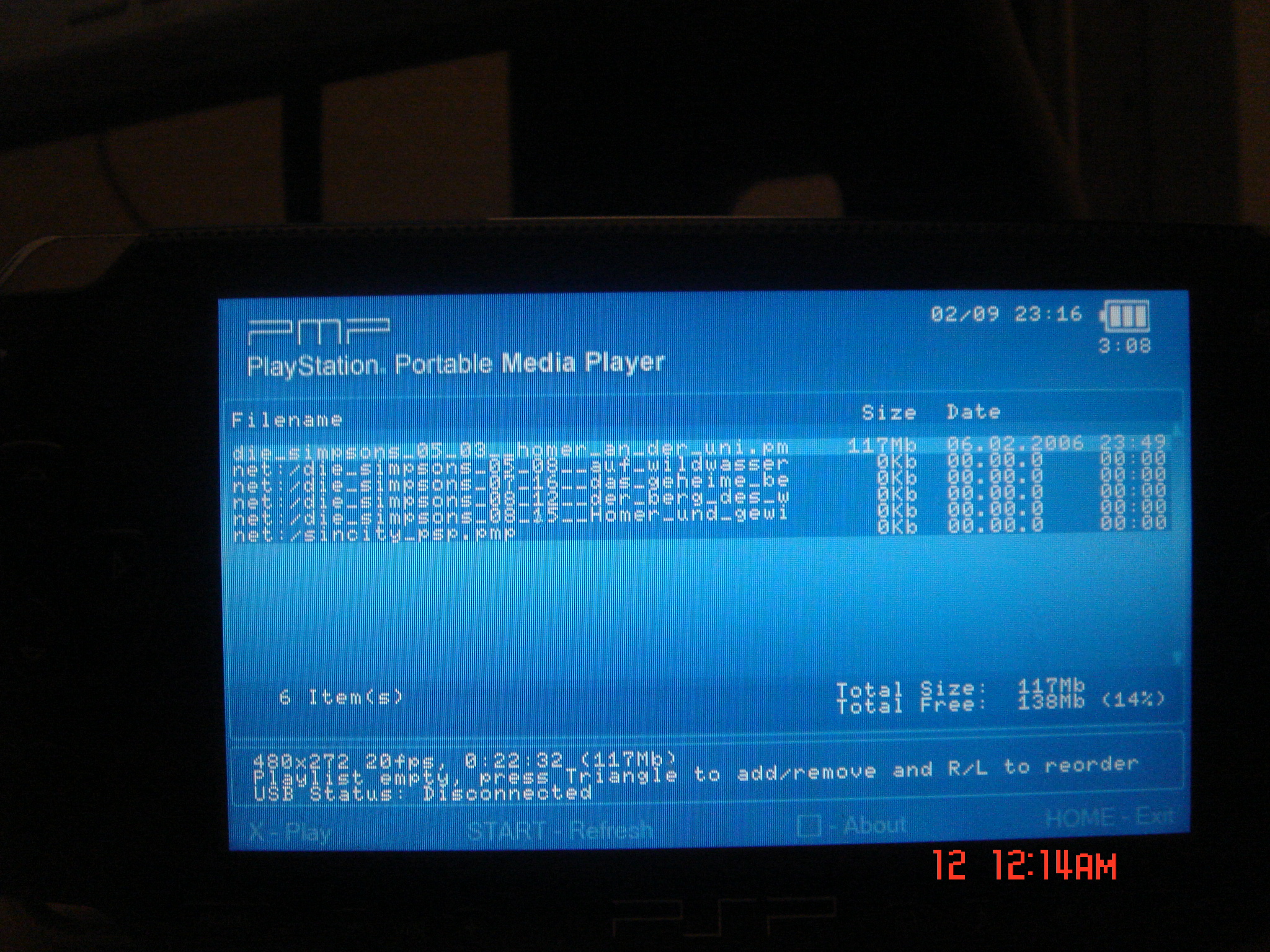
yo, sweet, this is what im talking about, a binary. how do i stream files from the net?
Wow this looks great. I would appreciate it if you could leave me the instructions on how to set a connection interface between my computer and the psp. To get the network part of this program up and running. Because watching Final Fantasy 7 on my psp will be awsome. You can leave me the instructions at [email protected] If its not to much trouble but I will greatly appreciate it if you do. Keep up the good work!
Great idea… looking forward to seeing this implemented in johny’s upcoming PMP build.
By the way, Ace.
You do realize that there are thousands of spambots crawling the web looking for e-mail addresses to spam?
Not very smart to post your email address wide-open.
You’re asking for it.
I changed my IP in the .ini file and forwarded the port too but don’t know what else to change and it gives me a blue screen of death and I have to turn off the PSP by taking the battery out. Can you help? Thank you for the great program.
hey,
great work !!!! But an instruction would be nice 😉
Greetz from Germany,
Desti
This looks great, but having trouble getting it working. I can see it making requests to my http server, but have no idea how to get my server to answer the listdir request, it’s just giving a 404 currently.
Hi, pls make some readme with info about config pmp.ini and about network server – is ftp ? web ? or other server pls ? THX Mak
Im having a blue screen nothing more !
Right after i run the player it looks actvate my psp wireless and gives me a blue screen.
I presume some other folks r having the same problem.
Peace !
oh yes i have the same probleme as creison. Do you have made a mistake, please get a new update
I delete the ini file and the prog works fine but without the network .
I guess we need setup the ini file.
It starts fine with the ini file in place if you actually point it to your server.
Yeah, this really looks promising, too bad there’s no manual. Well, nothing left to do but to wait. Good luck with this project!
where exactly do i put these files and folder in my psp.
your files came with install instructions?!
thnx
erealz
Hi everybody
I don’t know much about python scripts on a pc so after a little research I found a python installer and ran the
pmp_server.py file, while it was running I started the psp side of the program
It stops right after ” connection state 3 of 4″ and just seems to hang there forever.
I have all my firewalls disabled and port forwarding is set for the computer with the right address,
I don’t know what can be wrong, guess we will have to wait until somebody is kind enogh to write a tutorial.
I keep receiving a blue screen that says
“mso:/PSP/VIDEO” not gound of emptyError: opendir_open: chdir failed
Do I seriously have to have a video file in my /PSP/VIDEO directory? I only have a 32 meg card and don’t want all the space tkaen up by a video file, which is why I want it stremed from the start.
Any ideas?
Sorry for the double post, but I figured it out. Now my issue is that it hangs at connection state 2 of 4. Looks like it skips connection state 1 of 4. The WiFi activity light is off, suggesting that it gave up or something.
how did you get rid of that “mso:/PSP/VIDEO†not gound of emptyError: opendir_open: chdir failed
This looks cool. I currently have a linux PC with a samba share so i can stream avis and mpgs to my xbox. If the PSP can do a similar thing using my linux samba share then this would be great!!
PLiy the answer to your question is make sure the video folder is /video not /videos. Also make the file names longer and the program will then see the files.
the web needs more sites like this. I will visit again